
Johdanto
This manual provides comprehensive instructions for the setup, operation, maintenance, and troubleshooting of your Polk Audio SurroundBar 4000 Instant Home Theater system. Please read this manual thoroughly before using the product to ensure proper functionality and to maximize your audio experience.
Tärkeitä turvallisuustietoja
Always follow basic safety precautions when using this product to reduce the risk of fire, electric shock, and injury. Keep these instructions for future reference.
- Älä altista laitetta sateelle tai kosteudelle.
- Älä tuki tuuletusaukkoja.
- Älä asenna lähelle mitään lämmönlähteitä.
- Käytä vain valmistajan määrittelemiä lisälaitteita/lisävarusteita.
- Anna kaikki huoltotoimenpiteet pätevän huoltohenkilöstön tehtäväksi.
Pakkauksen sisältö
Varmista, että pakkauksessa on kaikki tarvittavat osat:
- Polk Audio SurroundBar 4000 Soundbar
- Langaton subwoofer
- Kaukosäädin
- Virtajohdot
- Optinen kaapeli
- Wall Mounting Template (if applicable)
- Pika-aloitusopas
Asennus
1. sijoitus
The SurroundBar 4000 can be placed on a shelf below your television or mounted on a wall. Ensure the soundbar is centered with your TV for optimal audio imaging.
The wireless subwoofer can be placed anywhere in the room, ideally within 20-30 feet of the soundbar, for best performance. Avoid placing it directly against a wall or in a corner, which can cause excessive bass.
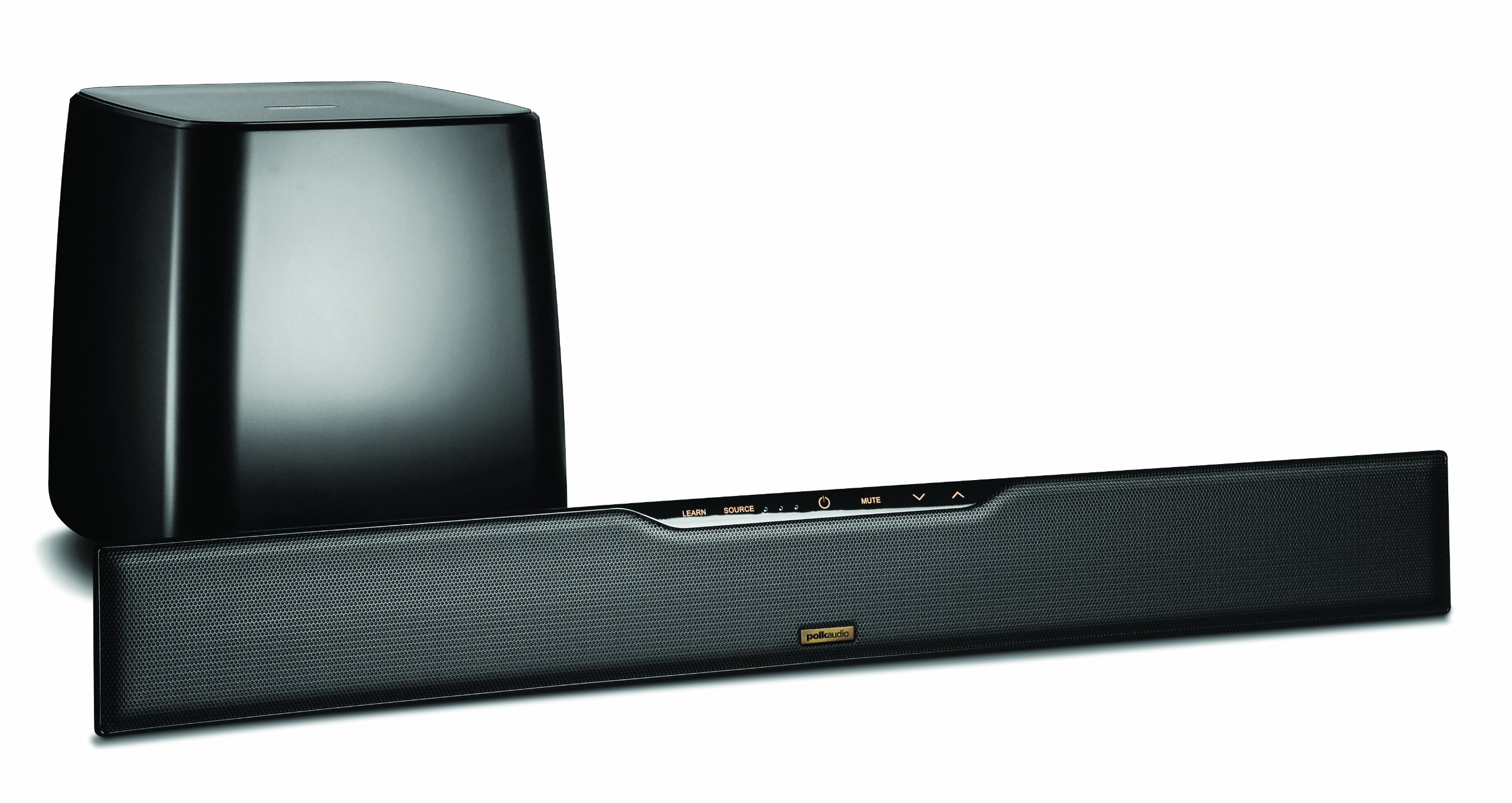
Image: Polk Audio SurroundBar 4000 IHT soundbar and wireless subwoofer. This image illustrates a typical setup with the soundbar positioned below a television and the wireless subwoofer placed nearby.
2. Liitännät
Liitä soundbar televisioon tai muihin äänilähteisiin jollakin seuraavista tavoista:
- Optical Digital Audio (Recommended): Connect one end of the optical cable to the "Optical Out" port on your TV and the other end to the "Optical In" port on the SurroundBar.
- Analog Audio (3.5mm or RCA): If your TV does not have an optical output, use an analog audio cable to connect the TV's audio output to the SurroundBar's analog input.
Kytke virtajohdot soundbariin ja langattomaan subwooferiin ja kytke ne sitten pistorasiaan.
3. Langattoman subwooferin pariliitos
The subwoofer should automatically pair with the soundbar when both are powered on. If pairing does not occur, or if the connection is lost:
- Varmista, että sekä soundbar että subwoofer ovat päällä.
- Press and hold the "Connect" button on the back of the subwoofer for a few seconds until the status light blinks.
- Press and hold the "Connect" button on the back of the soundbar (or on the remote, if available) until its status light also blinks.
- The lights should become solid once a connection is established.
Käyttöohjeet
1. Virta päälle/pois
Press the Power button on the remote control or on the soundbar to turn the system on or off.
2. Tulon valinta
Use the "Source" button on the remote control or soundbar to cycle through available audio inputs (Optical, Analog, Bluetooth).
3. Äänenvoimakkuuden säätö
Adjust the master volume using the "Volume Up" and "Volume Down" buttons on the remote or soundbar. The subwoofer volume can be adjusted independently using the "Subwoofer Volume" buttons on the remote.
4. Bluetooth-pariliitos
Bluetooth-laitteen yhdistäminen:
- Select the Bluetooth input on the soundbar.
- On your device, enable Bluetooth and search for "Polk SurroundBar 4000".
- Select the soundbar from the list to pair.
5. Remote Control Learning Feature
The SurroundBar 4000 can learn commands from your TV remote control for power, volume up, volume down, and mute. Refer to the quick start guide for detailed instructions on programming this feature.
Huolto
To ensure the longevity and optimal performance of your Polk Audio SurroundBar 4000 IHT:
- Puhdistus: Puhdista soundbarin ja subwooferin pinnat pehmeällä, kuivalla liinalla. Älä käytä nestemäisiä puhdistusaineita tai hankaavia aineita.
- Ilmanvaihto: Ensure that the ventilation openings on the soundbar and subwoofer are not blocked to prevent overheating.
- Virtajohdot: Regularly inspect power cords for any damage. If damaged, discontinue use and contact customer support.
Vianetsintä
| Ongelma | Mahdollinen syy | Ratkaisu |
|---|---|---|
| Ei ääntä soundbarista |
|
|
| Ei ääntä subwooferista |
|
|
| Vääristynyt tai huono äänenlaatu |
|
|
| Kaukosäädin ei toimi |
|
|
Tekniset tiedot
| Ominaisuus | Yksityiskohta |
|---|---|
| Merkki | Polk Audio |
| Mallin nimi | SurroundBar 4000 IHT |
| Mallinumero | IHT 4000 |
| Kaiuttimen tyyppi | Soundbar langattomalla subwooferilla |
| Kaiuttimen suurin lähtöteho | 180 wattia |
| Yhteystekniikka | Bluetooth |
| Äänilähtötila | Surround |
| Valvontamenetelmä | Kauko |
| Virtalähde | Johdollinen sähkö |
| Yhteensopivat laitteet | Pelikonsoli, Televisio |
| UPC | 747192121662 |
Takuu ja tuki
For warranty information and technical support, please refer to the warranty card included with your product or visit the official Polk Audio websivusto. Säilytä ostokuitti takuuvaatimuksia varten.
Polk Audio Websivusto: www.polkaudio.com
Asiakaspalvelu: Refer to the Polk Audio websivustolta alueesi yhteystiedot.