
1. Tuote ohiview
The Microsoft Wireless Desktop 800 offers the freedom and convenience of wireless technology for your computing needs. This set includes a wireless keyboard and mouse, designed for ease of use and reliable performance.
Tärkeimmät ominaisuudet:
- Wireless keyboard and mouse combination
- Secure wireless connection & snap-in transceiver
- Easy-access hot keys for common functions
- 1000 DPI optical tracking for responsive cursor control
- Optimized power management for extended battery life
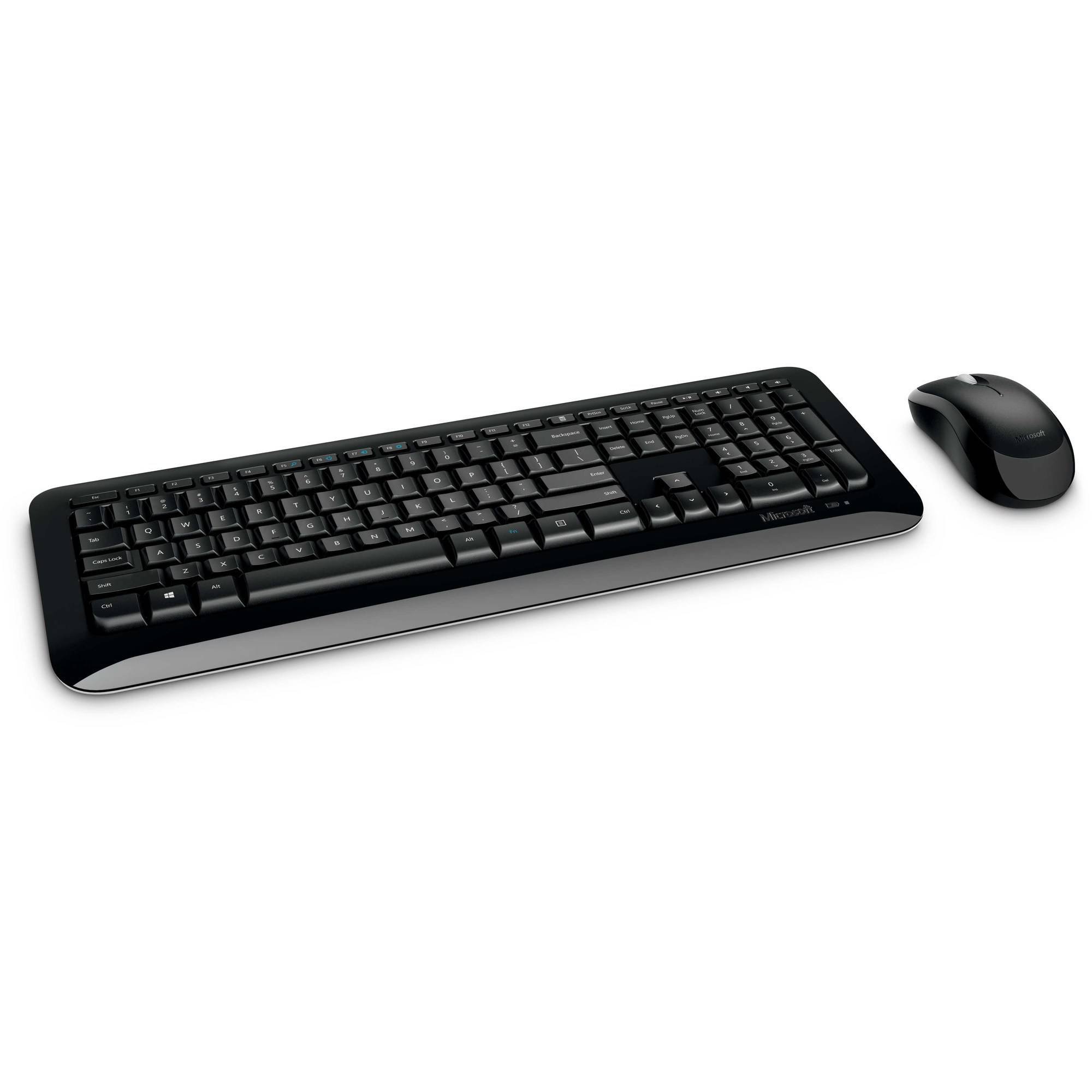
Figure 1: Microsoft Wireless Desktop 800 Keyboard and Mouse.
2. Asennusohjeet
Setting up your Microsoft Wireless Desktop 800 is a straightforward process. Follow these steps to get started:
- Asenna paristot: Insert the required batteries into both the keyboard and the mouse. The keyboard typically uses AAA batteries, and the mouse uses AA batteries. Ensure correct polarity.
- Liitä lähetin-vastaanotin: Locate the tiny USB transceiver. Plug this wireless receiver into an available USB port on your computer.
- Virta päälle: Turn on the mouse using its power switch (usually located on the underside). The keyboard does not typically have a power switch and activates upon battery insertion and connection.
- Automaattinen yhteys: Your keyboard and mouse should automatically connect to your computer. If not, refer to the troubleshooting section.
The transceiver can be conveniently snapped into the bottom of the mouse for secure storage when traveling, which also automatically turns off the mouse to conserve battery life.

Figure 2: The compact USB transceiver.
3. Laitteen käyttö
Näppäimistön toiminnot:
- Suojattu langaton yhteys: The keyboard utilizes 2.4 GHz wireless technology, providing a reliable connection with a range of up to 30 feet, minimizing interference.
- Easy Access Hot Keys: Quickly access frequently used tools such as zoom, audio controls, and the calculator using dedicated shortcut keys.
- Windowsin Käynnistä-painike: Press the Windows Start button to quickly launch the Start menu on compatible Windows operating systems.
Hiiren toiminnot:
- Microsoft Optical Technology: Experience responsive and precise cursor control with 1,000-dots-per-inch (DPI) tracking.
- Vierityspyörä: Selaa asiakirjoja ja webpages efficiently using the integrated scroll wheel.
- Monipuolinen muotoilu: The mouse is designed for comfortable use in either the right or left hand.
4. Maintenance and Battery Management
- Akun käyttöiän ilmaisin: The battery status indicator will glow red when the battery is running low, signaling that replacement is needed soon.
- Virtakytkin: To extend the battery life of your mouse, use the power switch located on its underside to turn it off when not in use or during travel.
- Pidentynyt akun käyttöikä: Enjoy fewer interruptions with up to 15 months of battery life for the keyboard and mouse (individual battery life may vary).
- Puhdistus: Puhdista näppäimistön ja hiiren pinnat pehmeällä, kuivalla liinalla. Vältä voimakkaiden kemikaalien tai hankaavien materiaalien käyttöä.
5. Vianmääritys
If you encounter issues with your Microsoft Wireless Desktop 800, consider the following common solutions:
- Ei yhteyttä:
- Ensure the USB transceiver is securely plugged into a working USB port on your computer.
- Tarkista, että sekä näppäimistön että hiiren paristot on asennettu oikein eivätkä ne ole tyhjentyneet. Vaihda paristot tarvittaessa.
- Move the keyboard and mouse closer to the transceiver to rule out range issues.
- Ajoittainen yhteys:
- Avoid placing the transceiver near other wireless devices or large metal objects that could cause interference.
- Varmista, että tietokoneesi käyttöjärjestelmä on ajan tasalla.
- Hiiren kursori ei liiku:
- Check the mouse batteries.
- Ensure the optical sensor on the bottom of the mouse is clean and not obstructed.
- Use the mouse on a suitable surface; highly reflective or transparent surfaces may affect tracking.
6. Tekniset tiedot
| Ominaisuus | Yksityiskohta |
|---|---|
| Merkki | Microsoft |
| Malli | Langaton pöytäkone 800 |
| Väri | Musta |
| Yhteystekniikka | Radiotaajuus (2.4 GHz) |
| Yhteensopivat laitteet | Kannettava tietokone, henkilökohtainen tietokone |
| Näppäimistön kuvaus | Langaton näppäimistö |
| Liiketunnistus | Optinen (1000 DPI) |
| Näppäimistön taustavalo | No (Single Color support refers to key legends) |
| Käyttöjärjestelmän yhteensopivuus | Windows 8, Windows 7, Windows Vista, Windows XP |
| Hand Orientation (Mouse) | Molempikätinen |
| Virtalähde | Paristokäyttöinen |
| Näppäinten lukumäärä (näppäimistö) | 104 |
| Paristot vaaditaan | 2 AAA-paristoa (näppäimistö), 2 AA-paristo (hiiri) - sisältyy hintaan |
| Tuotteen paino | 0.51 puntaa |
| Näppäimistön asettelu | QWERTY |
7. Takuutiedot
The Microsoft Wireless Desktop 800 comes with a Manufacturer Warranty. For specific details regarding coverage, duration, and claims process, please refer to the warranty documentation included with your product or visit the official Microsoft support websivusto.
8. System Requirements and Support
Järjestelmävaatimukset:
- Käyttöjärjestelmä: Windows 8, Windows 7, Windows Vista, or Windows XP
- Muuta: Käytettävissä oleva USB -portti
Asiakastuki:
For further assistance, technical support, or to download the latest drivers, please visit the official Microsoft support websivusto. Löydät sieltä myös lisäresursseja ja usein kysyttyjä kysymyksiä.
Online-tuki: support.microsoft.com