
Johdanto
This manual provides essential information for the safe and efficient use of your Doro PhoneEasy 105wr cordless phone. Please read these instructions carefully before using the phone and retain them for future reference.
Pakkauksen sisältö
Ennen kuin aloitat, varmista, että pakkauksessa on kaikki tarvittavat osat:
- Doro PhoneEasy 105wr -puhelin
- Perusyksikkö
- Virtalähde perusyksikölle
- Puhelinlinjan johto
- Rechargeable Batteries (NiMH)
- Käyttöopas (tämä asiakirja)
Asennus
1. Perusyksikön kytkeminen
- Liitä virtalähde: Plug the small end of the power adapter into the DC IN socket on the back of the base unit. Plug the other end into a wall power outlet.
- Liitä puhelinjohto: Plug one end of the telephone line cord into the LINE socket on the back of the base unit. Plug the other end into your telephone wall socket.
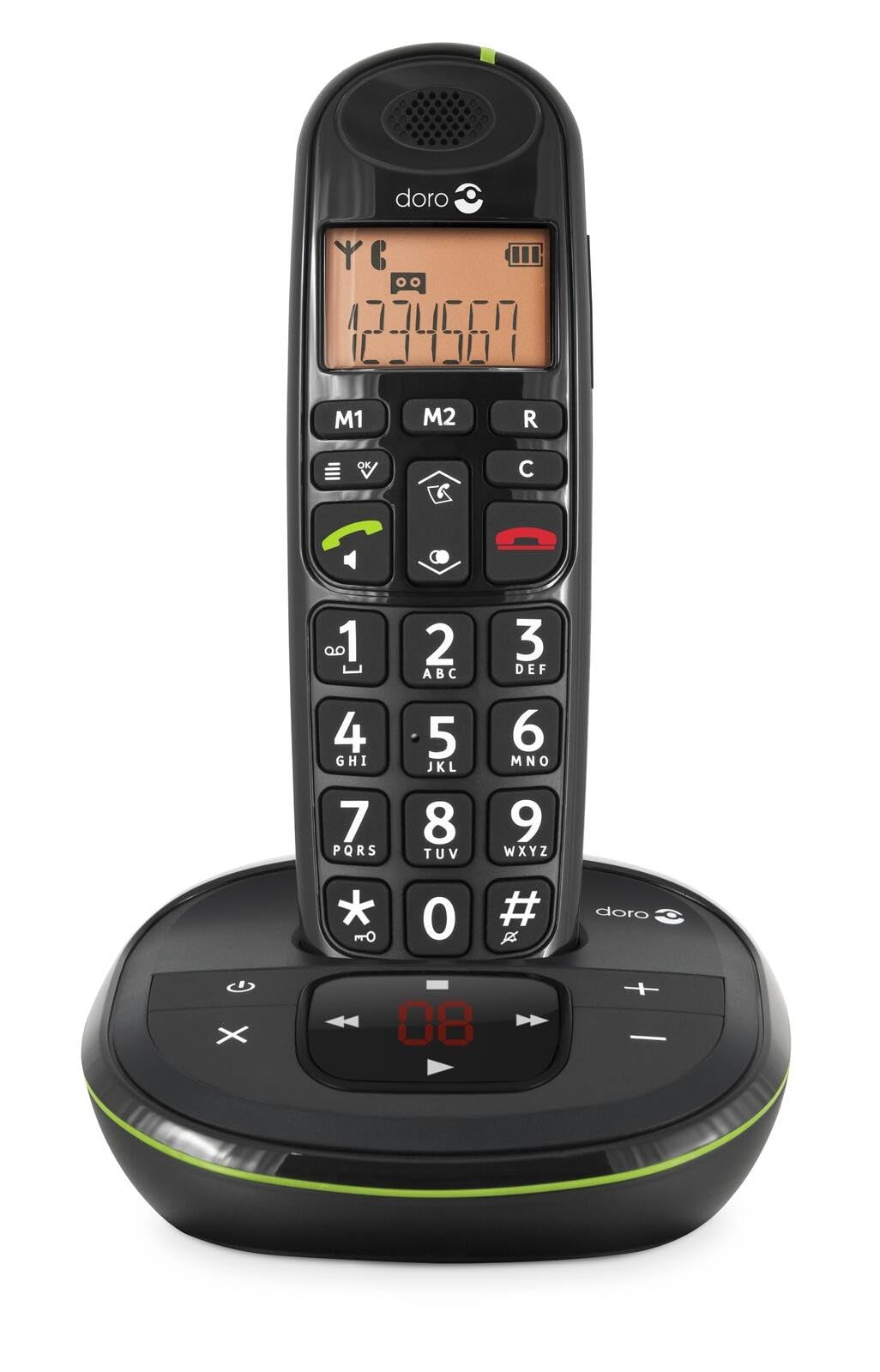 Image: The Doro PhoneEasy 105wr handset docked in its base unit, showing the keypad and display.
2. Installing Batteries in the Handset
- Avaa paristolokero: Liu'uta luurin takana olevaa akkulokeron kantta alaspäin ja irrota se.
- Aseta paristot: Insert the supplied rechargeable NiMH batteries, observing the correct polarity (+ and -) as indicated inside the compartment.
- Sulje lokero: Sulje paristolokeron kansi liu'uttamalla sitä ylöspäin, kunnes se napsahtaa paikalleen.
3. Luurin lataaminen
Place the handset on the base unit. The battery icon on the handset display will animate to indicate charging. For optimal battery performance, charge the handset for at least 10-12 hours before its first use, even if the display indicates a full charge sooner.
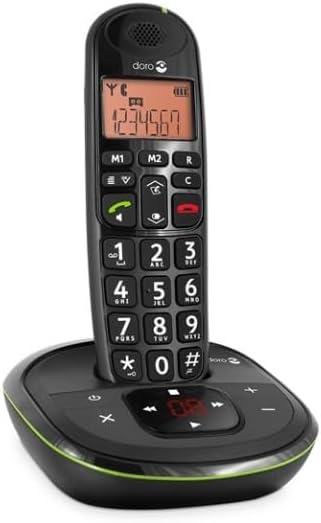
 Image: A slightly angled view of the Doro PhoneEasy 105wr handset in its charging cradle, highlighting its ergonomic design.
Käyttöohjeet
Soittaminen
- Soittaminen: Nosta luuri tai paina Green Call button. Enter the phone number using the keypad.
- Puhelun lopettaminen: Paina Red End Call button tai aseta luuri takaisin tukiasemaan.
Puhelun vastaanottaminen
Kun puhelin soi, paina Green Call button to answer. To end the call, press the Red End Call button or return the handset to the base unit.
Äänenvoimakkuuden säätäminen
Käytä puhelun aikana Up ja Alas navigation buttons on the handset to adjust the earpiece volume.
Puhelinmuistio
Your Doro PhoneEasy 105wr can store up to 20 entries in its phonebook.
- Merkinnän lisääminen:
- Paina Valikko -painiketta.
- Navigate to "Phonebook" and select "Add New".
- Enter the name and number, then save.
- Soittaminen puhelinluettelosta:
- Paina Puhelinmuistio button (often a book icon).
- Scroll through the entries using the navigation buttons.
- Paina Green Call button to dial the selected entry.
Answering Machine (if applicable)
The Doro PhoneEasy 105wr features a digital answering machine with a recording capacity of 20 minutes.
- Viestien toistaminen: Paina Toista/Lopeta -painiketta perusyksikössä.
- Viestien poistaminen: Viestin toiston aikana paina Poistaa -painiketta perusyksikössä.
- Lähtevän viestin tallentaminen: Refer to the handset menu for options to record or select a pre-recorded outgoing message.
 Kuva: Suora rintama view of the Doro PhoneEasy 105wr cordless phone, showing the large buttons and clear display on the handset, and the answering machine controls on the base.
Huolto
- Puhdistus: Pyyhi puhelin ja tukiasema pehmeällä,amp kangas. Älä käytä hankaavia puhdistusaineita tai liuottimia.
- Akun hoito: Käytä vain määritettyjä ladattavia akkuja. Jos puhelinta ei käytetä pitkään aikaan, poista paristot vuotojen estämiseksi.
- Ympäristöolosuhteet: Vältä puhelimen altistamista äärimmäisille lämpötiloille, suoralle auringonvalolle tai kosteudelle.
Vianetsintä
| Ongelma | Mahdollinen syy | Ratkaisu |
|---|---|---|
| Ei valintaääntä | Puhelinlinjan johto ei ole kytketty tai on viallinen. | Check the telephone line cord connection to the base unit and wall socket. Test with another phone if possible. |
| Luuri ei lataudu | Handset not correctly placed on the base unit; dirty charging contacts; faulty batteries. | Ensure the handset is seated correctly. Clean charging contacts on both handset and base with a dry cloth. Replace batteries if old. |
| Huono äänenlaatu | Handset too far from base unit; interference; low battery. | Move closer to the base unit. Avoid placing the base near other electronic devices. Charge the handset battery. |
| Ei voi soittaa/vastaanottaa puheluita | No power to base unit; handset not registered. | Check power adapter connection. Refer to the full manual for handset registration instructions if needed. |
Tekniset tiedot
| Ominaisuus | Yksityiskohta |
|---|---|
| Merkki | Doro |
| Mallinumero | 380102 |
| Väri | Musta |
| Puhelimen tyyppi | Langaton |
| Materiaali | Metalli (sisäiset komponentit) |
| Virtalähde | Paristokäyttöinen (1 A paristo sisältyy) |
| Soittimen tyyppi | Yksi näppäimistö |
| Tuotteen mitat (P x L x K) | 19.4 x 15.4 x 10.3 cm |
| Tuotteen paino | 706 grammaa |
| Vastausjärjestelmän tyyppi | Digitaalinen |
| Puheaika | 600 Minutes (10 hours) |
| Valmiusaika | 100 tuntia |
| Tallennuskapasiteetti | 20 minuuttia |
| Soittajan tunnus | Kyllä |
| Independent Test Certification | Energy Star |
Takuu ja tuki
Information regarding specific warranty terms and customer support contact details is not available in this document. Please refer to the warranty card included with your product or visit the official Doro websivusto, josta löydät uusimmat tiedot.
For further assistance, you may contact Doro customer service through their official channels.