
1. Johdanto
This manual provides instructions for the installation, operation, and maintenance of your StarTech.com 8 Outlet Horizontal 1U Rack Mount PDU Power Strip (Model RKPW081915). This Power Distribution Unit (PDU) is designed to provide reliable power distribution and surge protection for equipment within network server racks and cabinets.
2. Turvallisuustiedot
VAROITUS: Näiden turvallisuusohjeiden noudattamatta jättäminen voi aiheuttaa tulipalon, sähköiskun tai muun loukkaantumisen tai vaurion.
- Lue kaikki ohjeet ennen tuotteen käyttöä.
- Tämä tuote on tarkoitettu vain sisäkäyttöön.
- Ensure the PDU is properly grounded. Do not use with ungrounded outlets.
- Do not exceed the maximum electrical rating of 120V/15A. Overloading the PDU can cause damage and fire hazards.
- Do not disassemble or modify the PDU. Refer all servicing to qualified personnel.
- Keep away from water or excessive humidity.
- Do not plug one PDU into another.
3. Pakkauksen sisältö
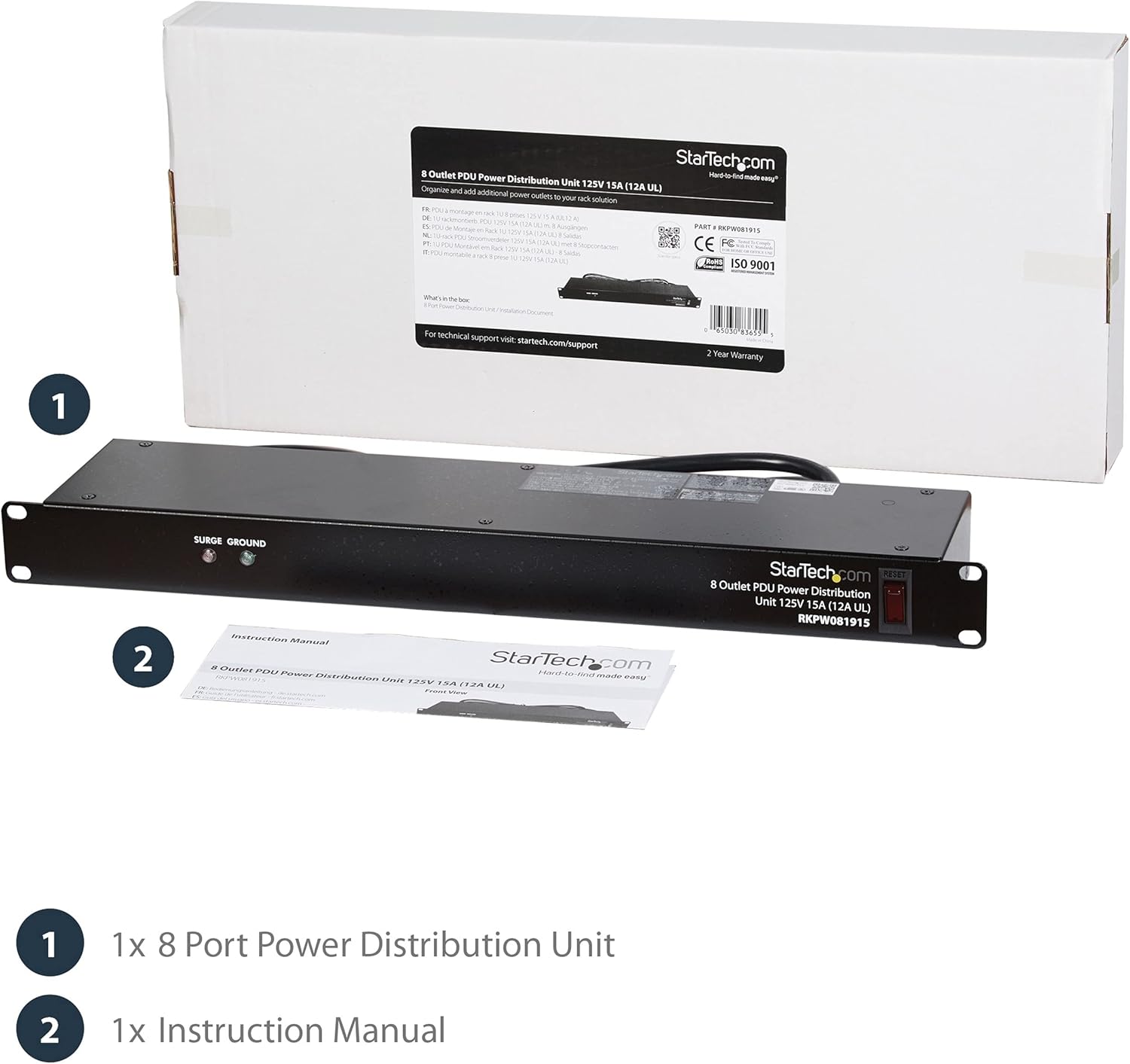
Image: The StarTech.com PDU and its instruction manual, as typically found in the product packaging.
- 1x 8 Outlet Horizontal 1U Rack Mount PDU Power Strip (RKPW081915)
- 1x käyttöohje
4. Tuote ohiview
The StarTech.com RKPW081915 is a 1U horizontal rack-mountable PDU designed for efficient power distribution in server environments. It features 8 NEMA 5-15R outlets, a 6-foot power cord, and built-in surge protection.
Etupaneelin ominaisuudet

Kuva: Yksityiskohtainen view of the PDU's front and back, highlighting the LED indicators, power switch, and outlets.
- LED Surge Indicator: Palaa, kun ylijännitesuoja on aktiivinen.
- LED Ground Indicator: Illuminates when the PDU is properly grounded.
- Power/Reset Switch: Controls power to all outlets and acts as a circuit breaker reset.
Takapaneelin ominaisuudet
- 8 x NEMA 5-15R Outlets: Provides power connections for your equipment.
- Integroitu 6 jalan virtajohto: Connects the PDU to a power source.

Image: Close-up of the rear of the PDU, displaying the eight power outlets and the attached power cord.
5. Asennus
5.1 Pakkauksesta purkaminen
Carefully remove the PDU and all components from the packaging. Inspect for any damage during shipping. If any damage is found, contact your vendor immediately.
5.2 Telineasennus
The RKPW081915 PDU is designed for horizontal mounting in any standard 19-inch server rack that is 4 inches (10.16 cm) deep or greater. It occupies 1U of rack space.
- Align the mounting ears of the PDU with the desired rack unit (U) on your server rack.
- Secure the PDU to the rack using appropriate rack screws (not included). Ensure both sides are firmly attached.

Image: The PDU mounted horizontally within a server rack, demonstrating its 1U form factor and integration with other equipment.

Image: A visual representation of the PDU's height (1U) and cable length (6ft), confirming its compatibility with standard 19-inch racks.
5.3 Laitteiden liittäminen
- Ensure the PDU's power/reset switch is in the OFF position.
- Plug the power cords of your network and server equipment into the 8 NEMA 5-15R outlets on the rear of the PDU.
- Connect the integrated 6-foot power cord of the PDU to a grounded 120V/15A power source.
Video: Demonstrates the installation of a rack-mounted power strip, showing how it integrates into a server rack and connects to devices.
Video: An official product video from StarTech.com showcasing the 8 Outlet Horizontal 1U Rack Mount PDU Power Strip for network server racks, highlighting its surge protection features.
Video: A demonstration of the StarTech 8 Outlet Horizontal 1U Rack Mount PDU, showing its physical attributes and how it fits into a rack setup.
Video: Yliview of an 8 Outlet Rack-Mount PDU, detailing its features and benefits for organizing power in a rack system.
Video: A demonstration of a PDU Outlet Horizontal, highlighting its design and functionality for power distribution.
6. Käyttöohjeet
6.1 Virran kytkeminen päälle/pois
To power on the connected equipment, press the Power/Reset switch on the front panel to the ON position. To power off, press the switch to the OFF position.
6.2 LED-ilmaisimet
- Surge LED (Green): When illuminated, it indicates that the surge protection feature is active and functioning. If this LED is off, the surge protection has been compromised, and the unit should be replaced.
- Ground LED (Green): When illuminated, it indicates that the PDU is properly grounded. If this LED is off, there may be a grounding issue with your power source or the PDU itself.
6.3 Katkaisija
The Power/Reset switch also functions as a circuit breaker. If an overload occurs, the switch will trip to the OFF position, cutting power to all connected devices to prevent damage. To reset the circuit breaker, reduce the load on the PDU and then press the switch back to the ON position.
7. Huolto
7.1 Puhdistus
To clean the PDU, ensure it is powered off and disconnected from the main power source. Use a soft, dry cloth to wipe the exterior. Do not use liquid cleaners or aerosols.
7.2 Säännölliset tarkastukset
- Periodically check the Surge and Ground LEDs to ensure they are illuminated, indicating proper function and grounding.
- Inspect the power cord and connected device cords for any signs of damage or wear.
- Varmista, että kaikki liitännät ovat turvallisia.
8. Vianmääritys
| Ongelma | Mahdollinen syy | Ratkaisu |
|---|---|---|
| Ei virtaa kytkettyihin laitteisiin. | PDU is off or circuit breaker tripped. | Ensure the Power/Reset switch is ON. If it tripped, reduce the load and reset the switch. |
| Ground LED is off. | Väärä maadoitus. | Ensure the PDU is plugged into a properly grounded outlet. Check the building's electrical wiring. |
| Surge LED is off. | Ylijännitesuoja on vaarantunut. | The PDU's surge protection may no longer be active. Replace the unit to ensure continued protection. |
| Devices are not receiving enough power. | PDU is overloaded. | Reduce the total power draw of connected devices to stay within the 15A limit. |
9. Tekniset tiedot
| Ominaisuus | Yksityiskohta |
|---|---|
| Mallinumero | RKPW081915 |
| Merkki | StarTech.com |
| Pistorasiat yhteensä | 8 x NEMA 5-15R |
| Tulo Voltage | 120 voltin vaihtovirta |
| Nykyinen luokitus | 15 Amps |
| Virtajohdon pituus | 6 jalkaa (1.8 metriä) |
| Rack Unit (RU) | 1U |
| Asennus | Horizontal 19-inch Rack Mount |
| Mitat (PxLxK) | 19 x 3.76 x 1.68 tuumaa (48.26 x 9.55 x 4.27 cm) |
| Tuotteen paino | 4.85 puntaa (2.2 kg) |
| Erikoisominaisuudet | Mountable, On/Off Switch, Surge Protection, Built-in Circuit Breaker |
| Casing-materiaali | Rugged Steel |
10. Takuu ja tuki
This StarTech.com product is backed by a lifetime warranty, ensuring long-term reliability and peace of mind. In addition, free lifetime 24/5 multi-lingual technical assistance is available to help you with any questions or issues you may encounter.
For technical support or warranty claims, please visit the official StarTech.com websivustolta tai ota yhteyttä suoraan heidän asiakaspalveluunsa. Säilytä ostokuitti takuun voimassaoloa varten.