
1. Johdanto
This manual provides instructions for the Verbatim 47418 4GB Micro USB Drive. This compact and lightweight USB flash drive is designed for portable data storage and transfer. It features a 4GB capacity, suitable for documents, photos, and other digital files.
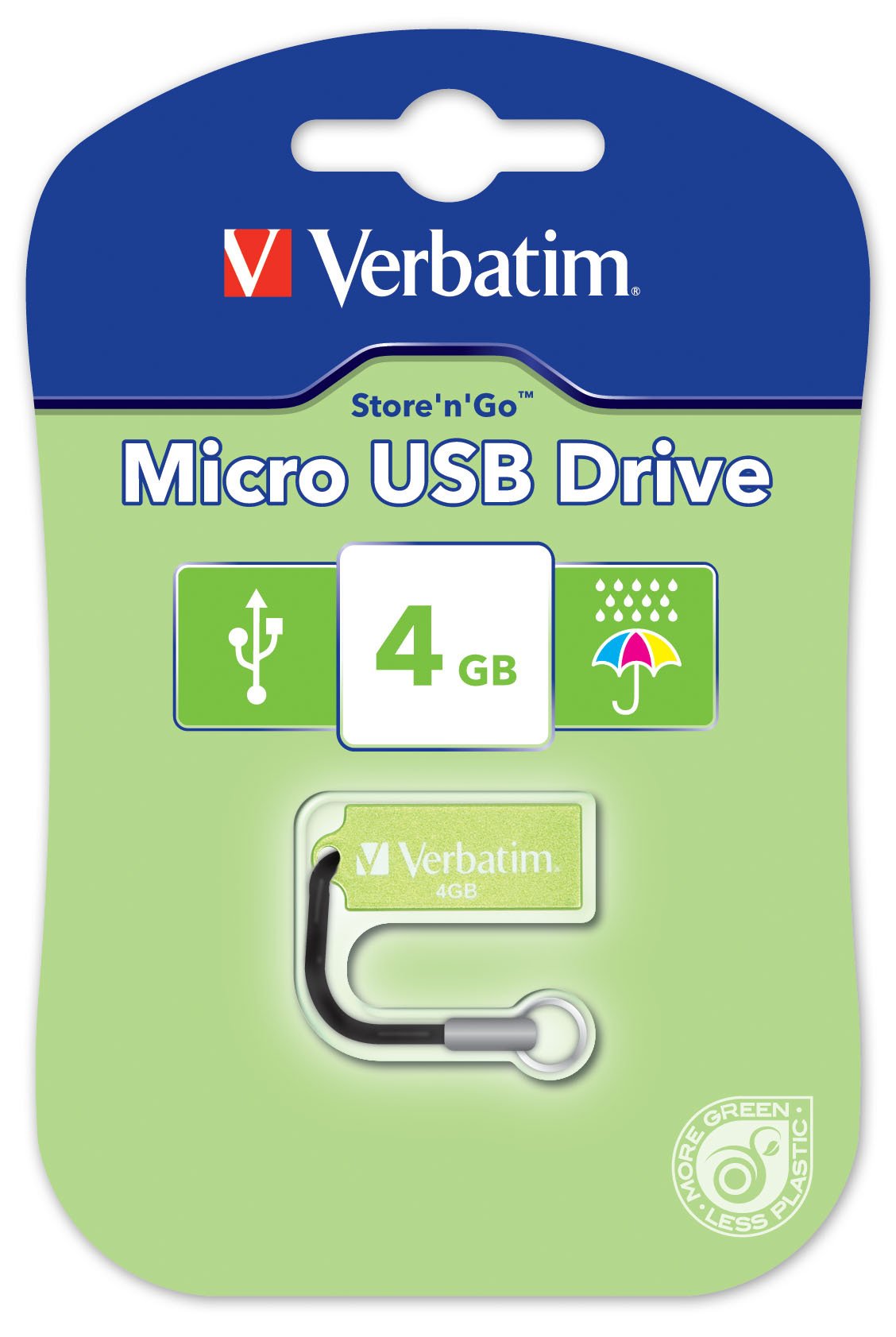
Image 1.1: The Verbatim 47418 4GB Micro USB Drive, shown in its green color.
The drive is equipped with a small loop for attaching a lanyard, enhancing portability and reducing the risk of loss. A lanyard is included with the product.

Image 1.2: The Verbatim 4GB Micro USB Drive with its included lanyard, ready for attachment to keychains or bags.
2. Asennus
The Verbatim 47418 Micro USB Drive is designed for plug-and-play functionality with most operating systems. No special drivers are typically required for basic operation.
2.1 Taajuusmuuttajan kytkeminen
- Etsi tietokoneesta vapaa USB-portti.
- Insert the Verbatim Micro USB Drive firmly into the USB port.
- Your operating system should automatically detect the new hardware and install any necessary generic drivers. A notification may appear indicating the drive is ready for use.

Image 2.1: The Verbatim Micro USB Drive correctly inserted into a laptop's USB port, ready for data transfer.
2.2 Password Protection Software
This product includes free password protection software. For instructions on how to download, install, and use this software, please refer to the Verbatim official website or the documentation provided with the software itself. This software allows you to secure your data on the drive.
3. Käyttö
Once the drive is connected and recognized by your computer, it will appear as a removable storage device (e.g., "Removable Disk" or "Verbatim USB Drive") in your file Explorer tai työpöytä.
3.1 Siirto Files
- Kopioidaksesi files asemaan: Avaa kansio, joka sisältää files you wish to transfer. Drag and drop the files or folders into the Verbatim USB Drive window. Alternatively, right-click the files, select "Copy," then navigate to the USB drive, right-click, and select "Paste."
- Kopioidaksesi files asemasta: Open the Verbatim USB Drive. Drag and drop the files or folders from the drive to your desired location on your computer. Alternatively, right-click the files on the drive, select "Copy," then navigate to your desired location, right-click, and select "Paste."
3.2 Turvallinen poistaminen
To prevent data corruption, always safely remove the USB drive before physically disconnecting it from your computer.
- Windows: Click the "Safely Remove Hardware and Eject Media" icon in the system tray (usually near the clock). Select the Verbatim USB Drive from the list and wait for the "Safe to Remove Hardware" message.
- MacOS: Drag the USB drive icon from your desktop to the Trash icon, or right-click the drive icon and select "Eject."
- Once the safe removal notification appears, you can safely unplug the drive.
4. Huolto
Proper care of your Verbatim Micro USB Drive ensures its longevity and the safety of your data.
4.1 Fyysinen hoito
- Puhdistus: Use a soft, dry, lint-free cloth to clean the exterior of the drive. Avoid liquid cleaners or solvents.
- Suojaus: While the drive is designed to be durable, avoid exposing it to extreme temperatures, direct sunlight, or strong magnetic fields. Keep the USB connector free from dust and debris.
- Vedenkestävyys: The Verbatim Micro USB Drive is designed with some resistance to water splashes, as shown in Image 4.1. However, it is not fully waterproof. Avoid submerging the drive in liquids. If it gets wet, ensure it is completely dry before connecting it to a computer.
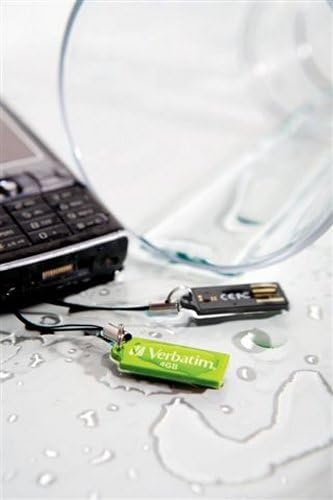
Image 4.1: The Verbatim Micro USB Drive positioned near spilled water, illustrating its design for splash resistance. It is important to note that the drive is not fully waterproof and should not be submerged.
4.2 Tiedonhallinta
- Regularly back up important data stored on the USB drive to another storage medium (e.g., your computer's hard drive, cloud storage) to prevent data loss in case of drive malfunction or damage.
- Periodically check the drive for errors using your operating system's disk utility tools.
5. Vianmääritys
If you encounter issues with your Verbatim Micro USB Drive, try the following solutions:
5.1 Asemaa ei tunnistettu
- Tarkista USB-portti: Try plugging the drive into a different USB port on your computer. Ensure the port is functioning correctly by testing it with another USB device.
- Käynnistä tietokone uudelleen: Joskus yksinkertainen uudelleenkäynnistys voi ratkaista tunnistusongelmat.
- Tarkista Laitehallinta (Windows) / Järjestelmätiedot (macOS): Verify if the drive is listed, even if it doesn't appear in File Explorer/Finder. This can indicate a driver issue or a problem with drive letter assignment.
- Päivitä ajurit: Although typically plug-and-play, ensure your computer's USB drivers are up to date.
5.2 Hitaat siirtonopeudet
- USB-portin tyyppi: Ensure you are using a USB 2.0 port for optimal performance, as this drive is a USB 2.0 device. Using older USB 1.1 ports will result in slower speeds.
- File Size/Quantity: Monien pienten siirto filevoi olla hitaampaa kuin muutaman suuren siirtäminen filesamankokoisia.
- Taustaprosessit: Sulje kaikki tarpeettomat sovellukset tai taustaprosessit, jotka saattavat kuluttaa järjestelmäresursseja.
- Aseman pirstoutuminen: While less common for flash drives, defragmenting the drive (Windows) or ensuring it's not excessively full can sometimes help.
5.3 Tietojen korruptio
- Turvallinen poisto: Always use the "Safely Remove Hardware" option before unplugging the drive to prevent data corruption.
- Disk Check: Run a disk check utility (e.g., "Error Checking" in Windows properties for the drive) to scan for and attempt to repair bad sectors.
- Uudelleenmuotoilu: As a last resort, if data is not critical or has been backed up, reformatting the drive can resolve persistent corruption issues. Warning: This will erase all data on the drive.
6. Tekniset tiedot
The following are the technical specifications for the Verbatim 47418 4GB Micro USB Drive:
| Ominaisuus | Yksityiskohta |
|---|---|
| Merkki | sanatarkasti |
| Mallinumero | 47418 |
| Muistin tallennuskapasiteetti | 4 Gt |
| Laitteistorajapinta | USB 2.0 |
| Yhteystekniikka | USB |
| Erikoisominaisuus | Kompakti |
| Flash-muistin tyyppi | NAND |
| Väri | Vihreä |
| Tuotteen paino | 0.01 puntaa |
| UPC | 023942474180 |
7. Takuu ja tuki
7.1 Rajoitettu takuu
The Verbatim 47418 4GB Micro USB Drive is covered by a Verbatimin 2 vuoden rajoitettu takuu. This warranty covers defects in materials and workmanship under normal use. For full details regarding warranty terms, conditions, and limitations, please refer to the official warranty statement available on the Verbatim websivustolla tai tuotepakkauksen mukana.
7.2 Tekninen tuki
For technical assistance, product inquiries, or warranty claims, please contact Verbatim customer support. Support contact information, including phone numbers and online resources, can typically be found on the official Verbatim websivusto (www.verbatim.com) or in the product packaging.
Kun otat yhteyttä tukeen, pidä tuotteesi mallinumero (47418) ja kaikki asiaankuuluvat ostotiedot käsillä.