
Selkeys 600
Clarity Wake Assure+ Desktop Alarm Clock
Malli: 600
Tuote loppuview
The Clarity Wake Assure+ Desktop Alarm Clock is designed to provide a reliable and effective wake-up solution, especially for heavy sleepers, the deaf, and the hard of hearing. It combines a loud audible alarm with a powerful vibrating bed shaker to ensure you never miss an important wake-up call.
Keskeisiä ominaisuuksia ovat:
- Guaranteed Wake-Up: Choose between a loud audible alarm (up to 85dB), a powerful vibrating bed shaker, or both.
- Customizable Alarm: Adjustable volume and tone settings for the audible alarm.
- Helposti luettava näyttö: Large 1.8-inch digital LCD display with full dimmable functionality to reduce light disturbance.
- Akun varmuuskopiointi: Maintains time and program settings during power outages with a standard 9V battery (not included).
- Built-in Telephone Jack: Alerts users to incoming phone calls, beneficial for landline users or those with videophones.
- AC-käyttöinen: Plugs into any standard wall outlet, eliminating the need for frequent battery replacements for primary operation.
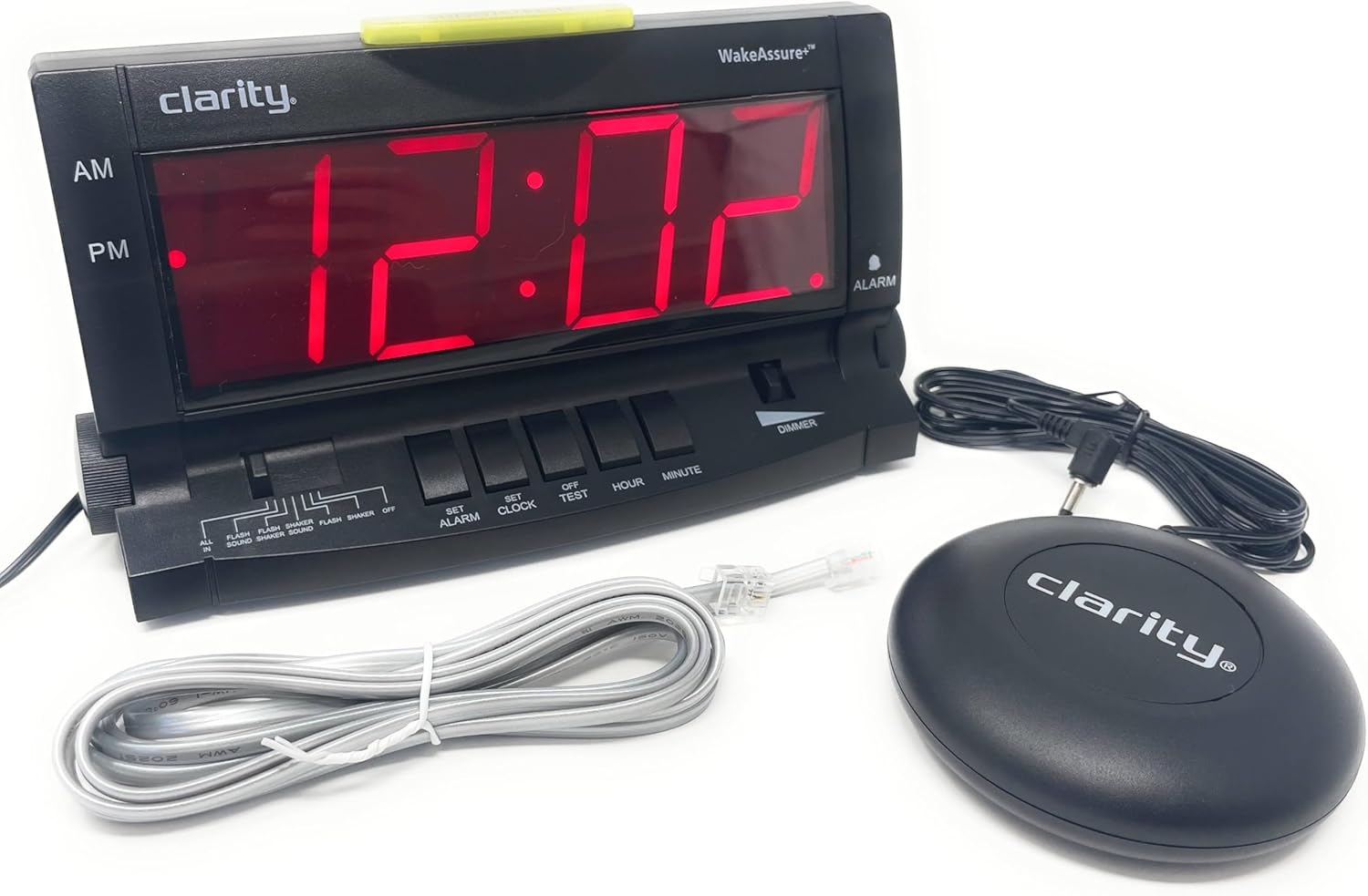
Asennus
- Purkaminen: Carefully remove all components from the packaging. Verify that you have the alarm clock unit, vibrating bed shaker, and AC power adapter.
- Virtaliitäntä: Insert the small plug of the AC power adapter into the 9V DC jack located on the back of the alarm clock. Plug the AC adapter into a standard wall outlet. The display will illuminate.

Kuva 2: Takaosa view of the alarm clock, highlighting the 9V DC power input and the vibrating shaker port. - Battery Backup Installation (Optional but Recommended): Voiman vuoksitage protection, open the battery compartment on the back of the unit and insert one standard 9V battery (not included). Close the compartment securely. This battery will maintain time and alarm settings during a power interruption.
- Connecting the Vibrating Bed Shaker: Plug the cord of the vibrating bed shaker into the dedicated shaker port on the back of the alarm clock. Place the shaker under your pillow or mattress for optimal vibration.
- Ajan asettaminen:
- Paina ja pidä painettuna ASETA KELLO -painiketta.
- Pitämällä ASETA KELLO, paina TUNNIN -painiketta tuntien säätämiseksi. Tarkkaile AM/PM-ilmaisinta.
- Pitämällä ASETA KELLO, paina MINUUTI -painiketta säätääksesi minuuttia.
- Vapauta ASETA KELLO button when the correct time is set.
- Connecting to Telephone Line (Optional): If you wish to be alerted to incoming phone calls, connect a telephone line cord (included) from your wall jack to either the LINE 1 or LINE 2 port on the side of the alarm clock.
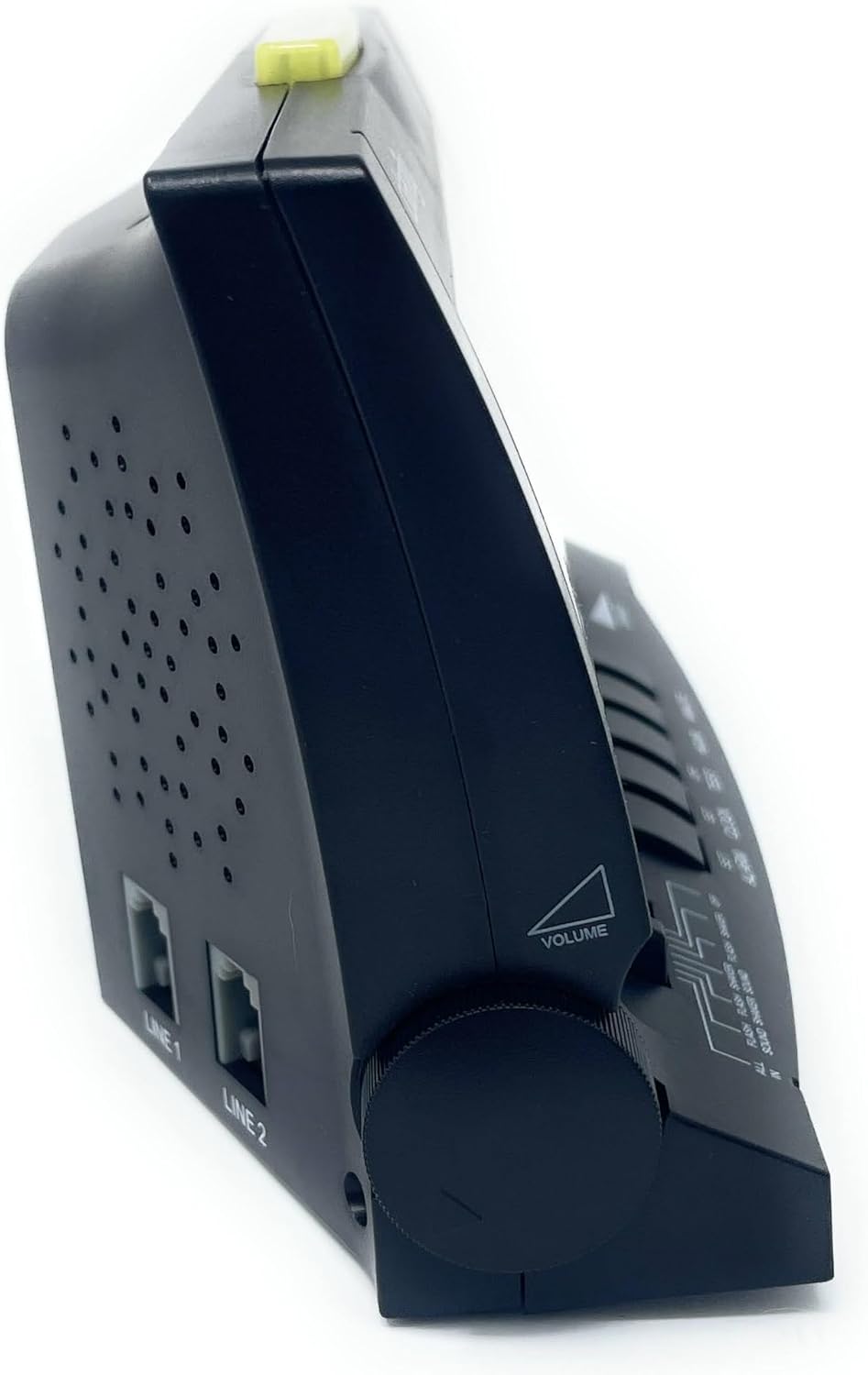
Kuva 3: Sivu view of the alarm clock, illustrating the volume control knob and the telephone line input jacks.
Käyttöohjeet
Hälytyksen asettaminen
- Paina ja pidä painettuna ASETA HÄLYTYS -painiketta.
- Pitämällä ASETA HÄLYTYS, paina TUNNIN -painiketta hälytysajan säätämiseksi. Tarkkaile AM/PM-ilmaisinta.
- Pitämällä ASETA HÄLYTYS, paina MINUUTI -painiketta säätääksesi herätysminuutteja.
- Vapauta ASETA HÄLYTYS button when the desired alarm time is set.
- Aktivoi hälytys liu'uttamalla HÄLYTYSTILA switch (located on the front panel) to your preferred setting:
- KAIKKI PELIIN: Activates sound, flash, and shaker.
- FLASH SOUND SHAKER: Activates flash, sound, and shaker.
- FLASH ÄÄNI: Activates flash and sound.
- FLASH SHAKER: Activates flash and shaker.
- ÄÄNI: Activates sound only.
- SHAKER: Activates shaker only.
- OFF: Hälytys on poistettu käytöstä.

Kuva 4: Etuosa view of the alarm clock, showing the large digital display and the alarm mode selection switch.
Adjusting Alarm Volume and Tone
- Äänenvoimakkuus: Kierrä VOLUME knob located on the left side of the unit to increase or decrease the audible alarm volume.
- Sävy: Kierrä SÄVY knob located on the right side of the unit to adjust the pitch (frequency) of the audible alarm. This is particularly useful for individuals with specific hearing loss frequencies.

Kuva 5: Sivu view of the alarm clock, illustrating the tone control knob.
Torkkutoiminto
Kun hälytys soi, paina isoa TORKKU/PALAUTA bar located on the top of the unit to temporarily silence the alarm. The alarm will sound again after approximately 9 minutes.

Himmennintoiminto
Liu'uta HIMMENNIN switch (located on the front panel) to adjust the brightness of the digital display. This allows you to set the display to a comfortable level for day or night viewing.
Telephone Call Alert
If connected to a telephone line, the alarm clock will provide an alert (flash, sound, or shaker, depending on alarm mode settings) when an incoming call is detected, even if the alarm is not set to go off.
Huolto
- Puhdistus: To clean the alarm clock, wipe the exterior surfaces with a soft, dry cloth. Do not use abrasive cleaners, waxes, or solvents as they may damage the finish. Ensure the unit is unplugged before cleaning.
- Akun vaihto: If the battery backup is installed, replace the 9V battery annually or if the clock loses time during a power outage.
- Varastointi: If storing the unit for an extended period, unplug it from the power outlet and remove the 9V battery.
Vianetsintä
| Ongelma | Mahdollinen syy | Ratkaisu |
|---|---|---|
| Kellon näyttö on tyhjä. | No power, AC adapter unplugged, or power outage with no battery backup. | Ensure AC adapter is securely plugged into the clock and a working wall outlet. Install a fresh 9V battery for backup. |
| Alarm does not sound/vibrate/flash. | Alarm not set, alarm mode switch set to OFF, or volume too low. | Verify alarm time is set correctly. Check that the ALARM MODE switch is set to a desired alert option (e.g., ALL IN, SOUND, SHAKER). Increase volume if using audible alarm. Ensure shaker is properly connected. |
| Näyttö on liian kirkas/himmeä. | Dimmer switch setting. | Adjust the DIMMER switch on the front panel to your preferred brightness level. Note: The display has specific brightness levels, not a continuous dimming range. |
| Telephone alert not working. | Telephone line not connected, or alarm mode not set to include flash/sound/shaker. | Ensure telephone line is securely connected to the clock and wall jack. Check that the ALARM MODE switch is set to an option that includes a visual, audible, or vibratory alert. |
| Aika on väärä virrankatkaisun jälkeentage. | No 9V battery installed, or battery is depleted. | Install a fresh 9V battery for battery backup. Reset the time if necessary. |
Tekniset tiedot
| Ominaisuus | Yksityiskohta |
|---|---|
| Merkki | Selkeys |
| Mallinumero | 600 |
| Näytön tyyppi | Digital LCD (1.8" tall) |
| Hälytyksen äänenvoimakkuus | Jopa 85dB |
| Virtalähde | AC-Powered with 9V Battery Backup (battery not included) |
| Tuotteen mitat | 6.5 cm L x 4 cm K |
| Tuotteen paino | 2.45 kiloa |
| Materiaali | Muovi |
| Erikoisominaisuudet | Vibrating Bed Shaker, Adjustable Tone, Dimmable Display, Telephone Jack |
Takuutiedot
The Clarity Wake Assure+ Desktop Alarm Clock comes with a Rajoitettu takuuKatso tuotteen pakkauksessa olevasta takuukortista tarkemmat ehdot ja takuun kesto. Säilytä ostokuitti takuuvaatimuksia varten.
Asiakastuki
For technical assistance, troubleshooting beyond this manual, or warranty inquiries, please contact Clarity customer support. Contact information can typically be found on the manufacturer's websivustolla tai tuotepakkauksessa.
You may also visit the product page on Amazon for additional resources and frequently asked questions: Amazonin tuotesivu