
1. Johdanto
This manual provides essential information for the safe and efficient operation of your Sharp AQUOS LC-52E77U LCD HDTV. Please read these instructions thoroughly before using the television and retain them for future reference.
The Sharp AQUOS LC-52E77U features a 52-inch Full HD 1080p display with 120Hz Fine Motion Enhanced technology for smooth motion. It incorporates a 10-Bit AVS Superlucent LCD Panel and Spectral Contrast Engine XD to deliver deep black levels and vibrant, accurate colors. This model includes built-in ATSC/QAM/NTSC tuners and a variety of connectivity options to integrate with your home entertainment system.
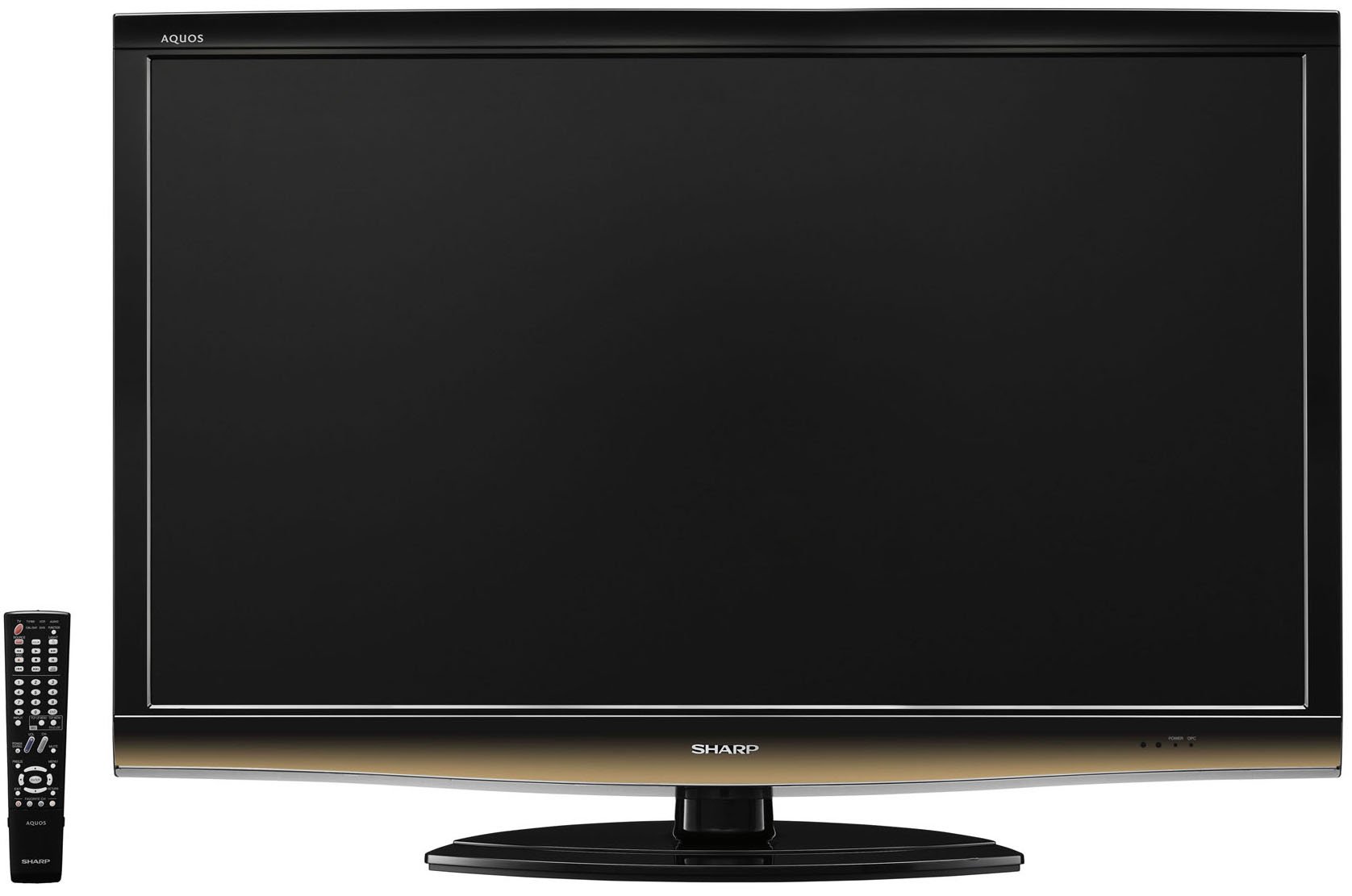
Edessä view of the Sharp LC-52E77U AQUOS LCD HDTV, showcasing its slim bezel and screen.
2. Turvallisuustiedot
Noudata aina televisiota käyttäessäsi perusturvallisuusohjeita tulipalon, sähköiskun ja henkilövahinkojen riskin vähentämiseksi.
- Älä tuki tuuletusaukkoja. Varmista, että television ympärillä on riittävästi tilaa asianmukaisen ilmankierron varmistamiseksi.
- Älä aseta televisiota epävakaalle kärrylle, jalustalle, kolmijalalle, kannattimelle tai pöydälle.
- Suojaa virtajohtoa kävelemiseltä tai puristumiselta, erityisesti pistokkeiden, pistorasian kohdalta ja kohdasta, jossa ne tulevat ulos laitteesta.
- Irrota tämä laite verkkovirrasta ukkosmyrskyjen aikana tai kun sitä ei käytetä pitkään aikaan.
- Anna kaikki huoltotoimenpiteet pätevän huoltohenkilöstön tehtäväksi. Huolto on tarpeen, jos laite on jollain tavalla vaurioitunut, kuten virtajohto tai pistoke on vaurioitunut, nestettä on roiskunut tai esineitä on pudonnut laitteen sisään, laite on altistunut sateelle tai kosteudelle, ei toimi normaalisti. , tai se on pudonnut.
3. Pakkauksen sisältö
Varmista, että pakkauksessa on kaikki tarvittavat osat:
- Sharp AQUOS LC-52E77U LCD HDTV
- Kaukosäädin paristoilla
- Detachable Table Stand
- Virtajohto
- Käyttöopas (tämä asiakirja)
- Takuukortti (jos sellainen on)
4. Asennus
4.1 Fyysinen asennus
Your television can be installed on its included table stand or mounted on a wall using a compatible VESA wall mount (sold separately).
Pöytäjalustan asennus:
- Carefully place the television screen-down on a soft, flat surface to prevent damage.
- Attach the stand base to the television using the provided screws. Ensure all screws are tightened securely.
- The table stand features swivel capability for adjusting the viewkulma.
Seinäasennus:
If wall-mounting, remove the table stand. Consult the instructions provided with your wall mount bracket for proper installation. Ensure the wall mount is rated for the weight and size of this television (approximately 59.5 pounds).
4.2 Laitteiden liittäminen
The LC-52E77U offers various input terminals for connecting external devices.
- HDMI-tulot (x5): Connect Blu-ray players, game consoles, cable/satellite boxes, and other HDMI-compatible devices. These inputs are compatible with 1080p signals.
- Komponenttivideotulot (x2): Connect devices using component video cables (YPbPr) for high-definition signals up to 1080p.
- PC-tulo: Connect a computer to use the television as a monitor.
- RS-232C-tulo: For advanced control systems.
- Antenni-/kaapelitulo: Connect an antenna or cable TV feed for accessing built-in tuners.
Ensure all cables are securely connected to the correct ports on both the television and your external devices.
4.3 Ensimmäinen käynnistys
- Plug the power cord into the television and then into a wall outlet.
- Press the Power button on the television or the remote control.
- Follow the on-screen prompts for initial setup, including language selection, channel scanning (for antenna/cable), and time zone settings.
5. Käyttöohjeet
5.1 Perusohjaimet
- Teho: Kytkee television päälle tai pois päältä.
- Äänenvoimakkuus (+/-): Säätää äänitasoa.
- Kanava (ylös/alas): Changes the television channel when using the built-in tuners.
- Tulo/lähde: Cycles through available input sources (HDMI 1, Component 1, PC, etc.).
- Menu: Avaa näyttövalikon (OSD) asetusten säätämistä varten.
5.2 Kuva -asetukset
Access the Picture menu to customize your viewkokemusta. Tärkeimpiä ominaisuuksia ovat:
- Kuvatila: Select from preset modes (e.g., Standard, Movie, Game) or customize your own.
- Kontrasti: Adjusts the difference between light and dark areas of the picture. The Spectral Contrast Engine XD enhances deep black levels.
- Kirkkaus: Säätää näytön kokonaisvalovoimaa.
- Color/Saturation: Säätää värien voimakkuutta.
- Sävy: Adjusts the green-to-red balance (primarily for NTSC signals).
- Terävyys: Enhances or softens the edges of objects in the picture.
- 120Hz Fine Motion Enhanced: This feature processes fast-moving images to reduce motion blur, providing a smoother viewing experience. It can be adjusted or disabled in the picture settings.
- OPC (Optical Picture Control): This feature senses ambient room light and automatically adjusts the screen brightness. While designed for power saving and backlight longevity, some users may prefer to disable it for consistent brightness.
For optimal picture quality, consider calibrating your television using a calibration disc or professional service.
5.3 Ääniasetukset
The LC-52E77U features built-in speakers. Access the Audio menu to adjust settings such as:
- Äänitila: Select from preset audio modes (e.g., Standard, Music, Movie).
- Basso/diskantti: Adjust low and high-frequency audio levels.
- Saldo: Adjust the volume balance between left and right speakers.
- Tilaääni: Enable or disable virtual surround sound effects.
For enhanced audio, connect the television to an external audio system (e.g., soundbar, AV receiver) via the available audio output ports.
5.4 Tulon valinta
To switch between connected devices, press the 'Input' or 'Source' button on your remote control. A list of available inputs will appear on the screen. Navigate using the arrow keys and press 'Enter' or 'OK' to select the desired input.
5.5 Virittimen käyttö
The television includes built-in ATSC (digital terrestrial), QAM (digital cable), and NTSC (analog terrestrial) tuners. After connecting an antenna or cable feed and performing a channel scan during initial setup, you can use the Channel Up/Down buttons to browse available channels.
6. Huolto
6.1 Näytön puhdistaminen
Puhdista näyttö pyyhkimällä se varovasti pehmeällä, nukkaamattomalla liinalla. Pinttyneisiin tahroihin hankaa kevyestiampKostuta liina vedellä tai erikoisnäytönpuhdistusaineella. Älä koskaan suihkuta puhdistusainetta suoraan näytölle.
6.2 Kaapin puhdistus
Wipe the television cabinet with a soft, dry cloth. Do not use abrasive cleaners, waxes, or solvents as they may damage the finish.
6.3 Yleishoito
- Avoid exposing the television to direct sunlight or extreme temperatures.
- Do not place heavy objects on top of the television.
- Keep the television away from sources of strong magnetic fields.
7. Vianmääritys
If you experience issues with your television, refer to the following common troubleshooting steps before contacting customer support.
| Ongelma | Mahdollinen syy / Ratkaisu |
|---|---|
| Ei virtaa | Ensure the power cord is securely plugged into the TV and a working electrical outlet. Check if the outlet has power. |
| Ei kuvaa, mutta ääni kuuluu | Varmista, että oikea tulolähde on valittu. Tarkista ulkoisten laitteiden kaapeliliitännät. |
| Ei ääntä, mutta kuva näkyy | Check the volume level and ensure the TV is not muted. If using external speakers, check their connections and power. |
| Kaukosäädin ei toimi | Vaihda kaukosäätimen paristot. Varmista, ettei kaukosäätimen ja television infrapunatunnistimen välissä ole esteitä. |
| Kuva on vääristynyt tai epäselvä | Check cable connections for looseness or damage. Adjust picture settings (e.g., sharpness, picture mode). If using an antenna, check its position and signal strength. |
8. Tekniset tiedot
- Malli: LC-52E77U
- Näytön koko: 52 tuumaa (lävistäjä)
- Näyttötekniikka: LCD (10-Bit AVS Superlucent LCD Panel)
- Resoluutio: 1920 x 1080 (Full HD 1080p)
- Päivitystaajuus: 120 Hz (with Fine Motion Enhanced)
- Vastausaika: 4 ms
- Viewkulmat: 176°H x 176°V
- Kontrasti: Spectral Contrast Engine XD
- Virittimet: Built-in ATSC / QAM / NTSC
- Liitettävyys:
- HDMI Inputs: 5 (compatible with 1080p signals)
- Component Video Inputs: 2 (HD 1080p compatible)
- PC Input: 1
- RS-232C-tulo: 1
- Kaiuttimen tyyppi: Built-In, bottom-mounted
- Tuotteen paino: Approximately 59.5 Pounds (without stand)
- Tuotteen mitat (L x K x S): Approximately 49.38 x 33.94 x 12.78 inches (with stand)
- Energiatehokkuus: Energy Star -yhteensopiva
9. Takuu ja tuki
This product typically comes with a 15-month warranty from the date of purchase. For specific warranty terms and conditions, please refer to the warranty card included with your product or visit the official Sharp websivusto.
As part of the AQUOS Advantage Program, Sharp provides customer support for its AQUOS televisions. If you require technical assistance, service, or have questions regarding your LC-52E77U, please contact Sharp customer support through their official channels.
For more information and support, you may visit the Sharp-myymälä Amazonissa or the official Sharp websivusto.