
1. Johdanto
This manual provides essential information for the safe and efficient operation of your Sharp Aquos LC42D64U 42-Inch 1080p LCD HDTV. Please read these instructions thoroughly before using your television and retain them for future reference. The Sharp Aquos D64 series offers a slim design, Full HD 1080p resolution, and advanced features for an enhanced viewkokemusta.
2. Tärkeitä turvallisuustietoja
Noudata aina televisiota käyttäessäsi perusturvallisuusohjeita tulipalon, sähköiskun ja loukkaantumisen riskin vähentämiseksi.
- Virtalähde: Connect the TV only to the power supply indicated on the label.
- Ilmanvaihto: Varmista asianmukainen ilmanvaihto. Älä tuki tuuletusaukkoja.
- Vesi ja kosteus: Älä altista televisiota sateelle tai kosteudelle. Älä aseta nesteillä täytettyjä esineitä television päälle.
- Puhdistus: Irrota televisio pistorasiasta ennen puhdistamista. Käytä pehmeää, kuivaa liinaa.
- Huolto: Älä yritä huoltaa tätä tuotetta itse. Anna kaikki huoltotoimenpiteet pätevän huoltohenkilöstön tehtäväksi.
- Asennus: If wall-mounting, ensure the mount is compatible and installed by qualified personnel.
- Lapset: Valvo lapsia, jotta he eivät kiipeä television päälle tai leiki sillä.
3. Mitä laatikossa on
Varmista, että kaikki osat ovat mukana ennen asennuksen jatkamista.
- Sharp Aquos LC42D64U 42-Inch LCD HDTV
- Kaukosäädin
- Pöytäteline
- Virtajohto
- Käyttöopas (tämä asiakirja)
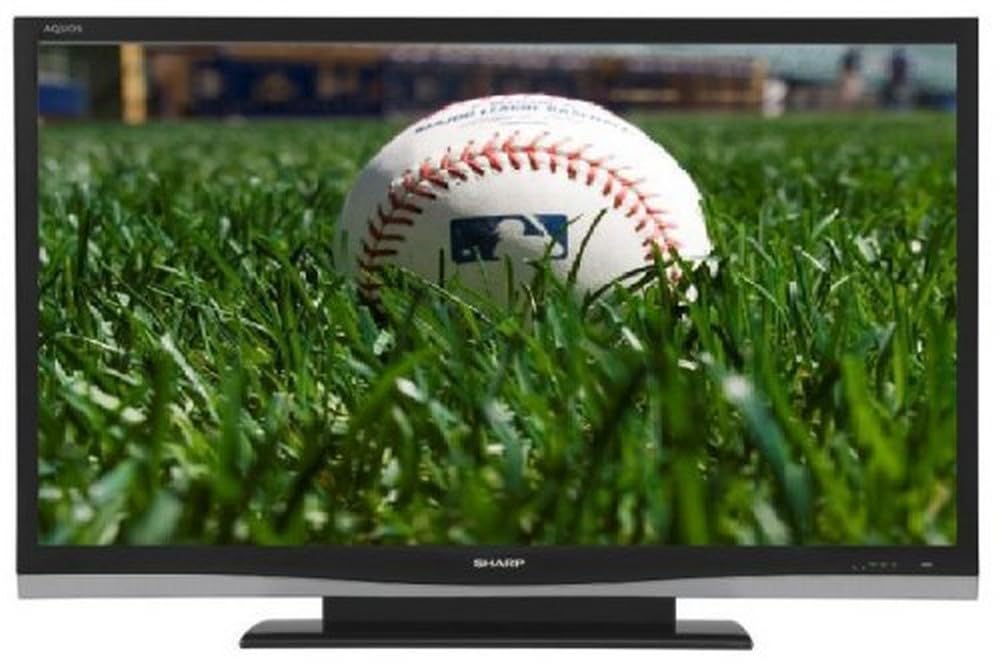
Kuva: Edessä view of the Sharp Aquos LC42D64U 42-Inch LCD HDTV with its included table stand.
4. Asennus
4.1 Pöytätelineen kiinnittäminen
If you are not wall-mounting the television, attach the included table stand. Refer to the separate assembly guide for detailed instructions on securing the stand to the TV. Ensure all screws are tightened securely.
4.2 Ulkoisten laitteiden liittäminen
Connect your external devices (e.g., cable box, Blu-ray player, game console) to the appropriate input terminals on the rear or side of the TV.
- HDMI: For high-definition digital video and audio. The TV features three HDMI 1.3 inputs (two rear, one side).
- Komponenttivideo (Y, Pb, Pr): For high-definition analog video. Two inputs are available.
- Composite Video (A/V): For standard-definition analog video and audio. One side and one rear input.
- S-video: For standard-definition video. One side and one rear input.
- PC Input (D-Sub 15-pin): Liitä tietokone näyttönä käytettäväksi.
- RF Antenna Inputs: Two inputs for connecting an antenna or cable TV.
- Ethernet-portti: For network connectivity (DLNA).
4.3 Virtaliitäntä
After connecting all desired devices, plug the power cord into the TV's power inlet and then into a wall outlet. The TV will enter standby mode.
5. Käyttöohjeet
5.1 Initial Power On and Channel Setup
- Paina POWER button on the remote control or the TV to turn it on.
- The first time you power on, the TV will guide you through the initial setup process, including language selection and channel scanning.
- Select your preferred language (English, Spanish, or French).
- Perform an "Easy Setup" or "Channel Setup" scan to detect available digital (ATSC, QAM) and analog (NTSC) channels.
5.2 Kaukosäätimen perustoiminnot
- VIRTA: Kytkee television päälle tai pois päältä (valmiustila).
- INPUT: Cycles through available input sources (HDMI, Component, PC, etc.).
- CH +/-: Vaihtaa kanavia.
- VOL +/-: Säätää äänenvoimakkuutta.
- VALIKKO: Avaa näyttövalikon asetusten säätämistä varten.
- NUOLIPAINIKKEET: Selaa valikon vaihtoehtoja.
- TULLA SISÄÄN: Vahvistaa valinnat.
- EXIT/RETURN: Poistuu valikoista tai palaa edelliseen näyttöön.
5.3 Valikon navigointi ja asetukset
Paina MENU button to access various settings categories:
- Kuva: Adjust brightness, contrast, color, tint, sharpness, and backlight. The OPC function automatically adjusts brightness based on room conditions.
- Audio: Control volume, bass, treble, balance, and select audio modes.
- Kanava: Rescan channels, add/delete channels, and set up favorite channels.
- Asennus: General settings like language, time, sleep timer, and parental controls (V-Chip).
- Lisäominaisuudet: Access settings for DLNA, Picture-in-Picture, and AQUOS LINK.
6. Lisäominaisuudet
6.1 AQUOS LINK (HDMI-CEC)
AQUOS LINK allows convenient control of compatible Sharp devices connected via HDMI using just your AQUOS TV remote. Ensure connected devices also support HDMI-CEC (Consumer Electronics Control) and are enabled in their respective settings.
6.2 DLNA Compatibility
The TV is DLNA-compatible, enabling interoperability with other DLNA-certified electronics, computers, and mobile devices. Connect the TV to your home network via the Ethernet port to access and share digital content (photos, videos, music) from compatible devices on your network.
6.3 Kuva kuvassa (PIP)
The Picture-in-Picture function allows simultaneous viewing of a TV program and a video or PC source. Consult the on-screen menu for PIP activation and source selection.
6.4 V-Chip System
The V-Chip system allows you to block TV and movie programs based on their rating, providing parental control over objectionable content. Access V-Chip settings through the TV's setup menu.
7. Huolto
7.1 Näytön puhdistaminen
Pyyhi näyttö varovasti pehmeällä, nukkaamattomalla liinalla. Pinttyneisiin tahroihin hankaa kevyestiampKostuta liina vedellä tai erikoisnäytönpuhdistusaineella. Älä käytä voimakkaita kemikaaleja, hankaavia puhdistusaineita tai suihkuta nesteitä suoraan näytölle.
7.2 Kaapin puhdistus
Wipe the TV cabinet with a soft, dry cloth. Avoid using solvents or abrasive materials.
7.3 Yleishoito
- Irrota televisio pistorasiasta ukkosmyrskyjen aikana tai jos sitä ei käytetä pitkään aikaan.
- Pidä televisio poissa suorasta auringonvalosta, lämmönlähteistä ja liiallisesta pölystä.
- Ensure adequate space around the TV for proper ventilation.
8. Vianmääritys
Ennen kuin otat yhteyttä asiakastukeen, kokeile seuraavia ratkaisuja yleisiin ongelmiin:
| Ongelma | Mahdollinen ratkaisu |
|---|---|
| Ei virtaa | Tarkista, että virtajohto on kytketty kunnolla televisioon ja pistorasiaan. Varmista, että pistorasiassa on virtaa. |
| Ei kuvaa, mutta ääni kuuluu | Varmista, että oikea tulolähde on valittu. Tarkista ulkoisten laitteiden kaapeliliitännät. |
| Ei ääntä, mutta kuva näkyy | Check the volume level and mute setting. Ensure audio cables are correctly connected. |
| Kaukosäädin ei toimi | Vaihda paristot. Varmista, ettei kaukosäätimen ja television infrapunatunnistimen välissä ole esteitä. |
| "Hotel Mode" issue (as per customer review) | If the TV is stuck in a limited functionality mode, contact Sharp customer support for assistance in disabling "Hotel Mode." This typically requires a specific service menu sequence. |
9. Tekniset tiedot
| Ominaisuus | Yksityiskohta |
|---|---|
| Mallinumero | LC42D64U |
| Näytön koko | 42 tuumaa |
| Näyttötekniikka | LCD |
| Resoluutio | 1080p (Full HD) |
| Kontrastisuhde | 10,000:1 Dynamic |
| Vastausaika | 4 millisekuntia |
| HDMI-portit | 3 (2 takana, 1 sivua) |
| Komponenttivideotulot | 2 |
| Komposiittivideotulot | 3 (1 sivulla, 2 takana) |
| S-Video Inputs | 2 (1 sivulla, 1 takana) |
| PC-tulo | 1 (D-Sub 15-pin) |
| Ethernet-portti | Kyllä |
| Virittimen tyyppi | ATSC, QAM, NTSC |
| Lapsilukko | V-siru |
| Paino | 70.2 paunaa (noin) |
| Mallin vuosi | 2008 |
10. Takuu ja tuki
10.1 Rajoitettu takuu
This Sharp Aquos LC42D64U television comes with a 1 Year Parts and 1 Year Labor Warranty from the date of original purchase. This warranty covers manufacturing defects in materials and workmanship under normal use. It does not cover damage caused by misuse, accident, modification, or unauthorized repair.
Säilytä ostokuitti takuuvaatimuksia varten.
10.2 Asiakastuki
For technical assistance, troubleshooting beyond this manual, or warranty service, please contact Sharp Customer Support. Refer to the contact information provided with your product documentation or visit the official Sharp websivustolta uusimmat tukitiedot.
When contacting support, please have your model number (LC42D64U) and serial number ready.